The left navigation
VNCai’s left column is your conversation list — the history of every thread, plus the controls to search and start new ones. The right side is the open conversation and the composer.
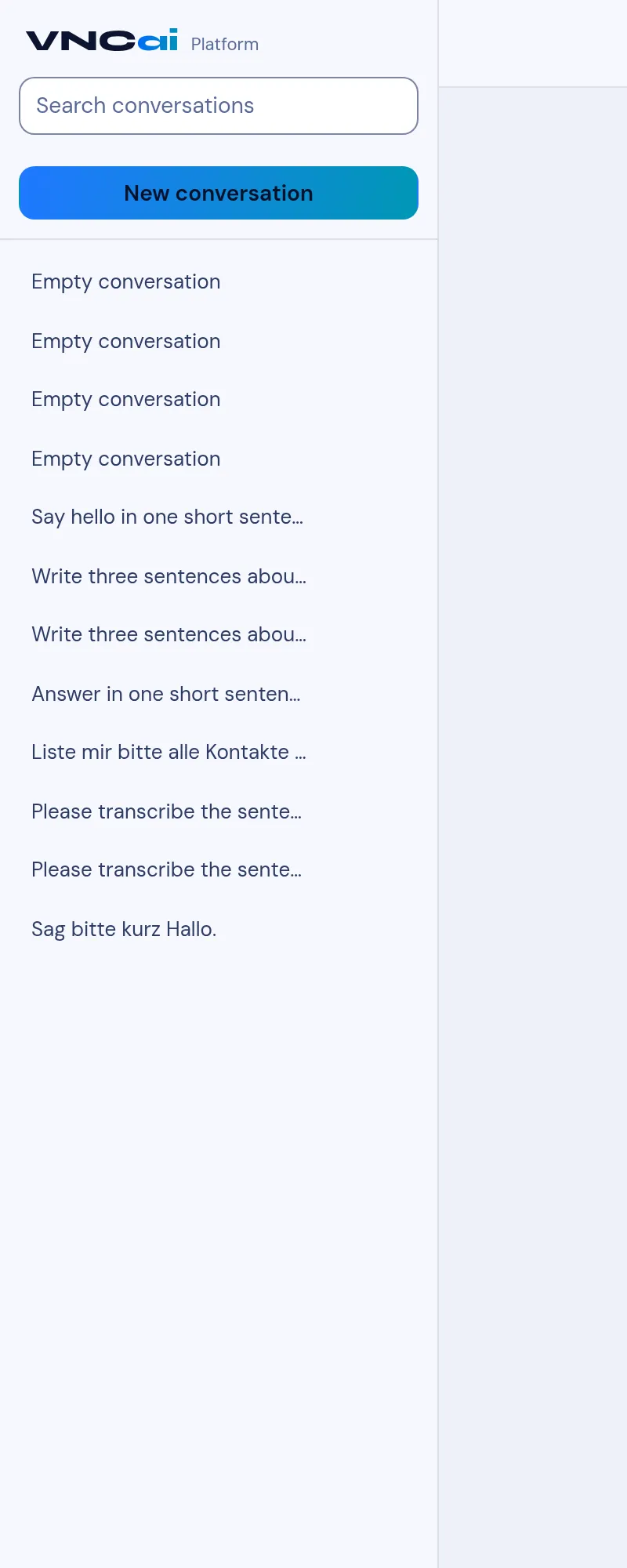
The sidebar
Section titled “The sidebar”| Item | What it does |
|---|---|
| Search conversations | Filter the list by a word from a conversation. |
| New conversation | Start a fresh thread. |
| Conversation list | Reopen any past conversation (titled from its first ask). |
| pencil (on a selected conversation) | Rename it. |
| trash (on a selected conversation) | Delete it. |
→ Start a conversation · Find a conversation · Manage your conversations
The composer
Section titled “The composer”At the bottom of an open conversation: the ask box, a microphone for voice,
and Send. The model menu (How much thought this turn gets) sets the
model for the turn — Fast, Balanced, Deep · external, Code ·
external, Translate · external. Enter sends, Shift+Enter adds a line,
↑ recalls an earlier prompt.
→ Choose how much thought a turn gets