Edit a contact
Open any contact to see their full record and edit it in place.
-
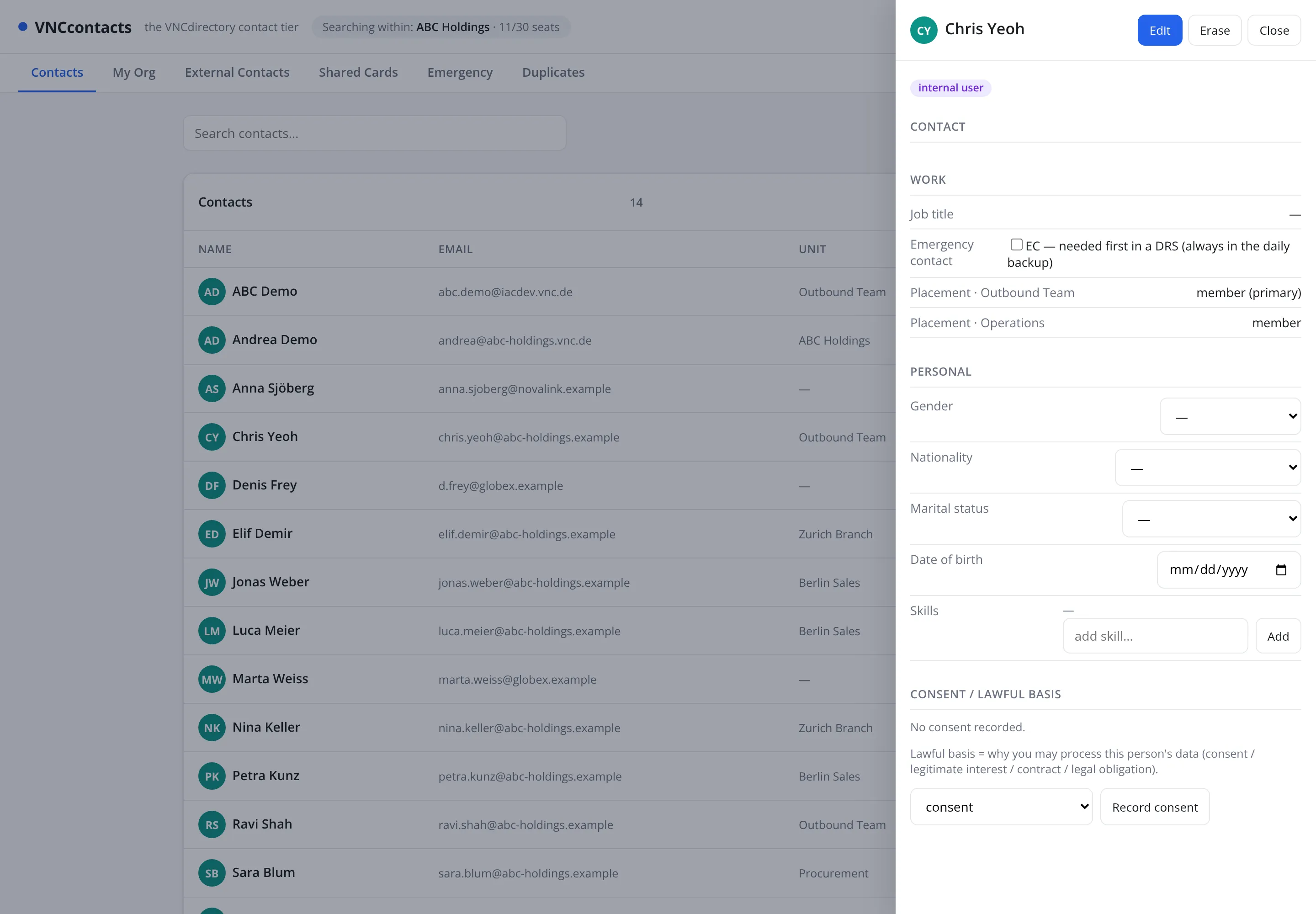
Open VNCcontacts+ and select the contact row. A detail panel opens on the right.
-
Select Edit at the top of the panel.
-
Update the section you need:
- Work — job title, Emergency contact flag and Placements (which units the person belongs to).
- Personal — gender, nationality, marital status, date of birth and Skills (add one at a time).
- Consent / lawful basis — see Record a contact’s consent.
-
Select Save.
Result
Section titled “Result”Your changes are stored against the contact. Fields your organization syncs from VNCdirectory+ — name, email, unit — stay owned by the directory; the rest is local to the address book.