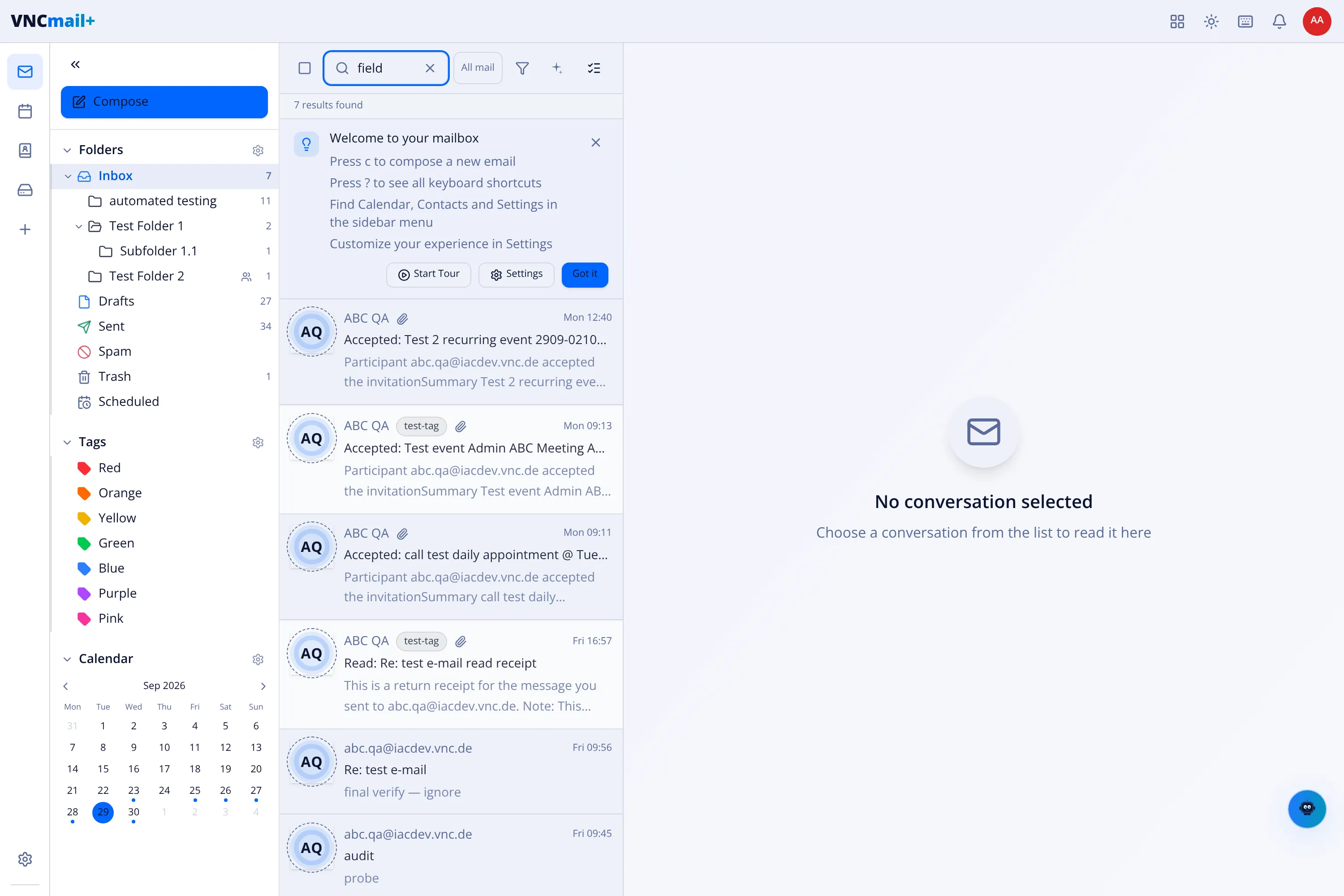
Folders, tags and the calendar
The VNCmail+ sidebar has three parts: folders, tags and the calendar.
Folders
Section titled “Folders”| Folder | Holds |
|---|---|
| Inbox | New mail. |
| Drafts | Messages you have not sent. |
| Sent | Messages you sent. |
| Spam | Suspected junk. |
| Trash | Deleted mail. |
| Scheduled | Mail set to send later. |
Tags are colours you can apply across folders: Red, Orange, Yellow, Green, Blue, Purple, Pink. Use them for anything the folders do not cover — for example “to do”, “waiting”, a project name.
The calendar
Section titled “The calendar”The built-in Calendar shares the same account as your mail, so meetings and messages live together. See Use the calendar.
Finding things
Section titled “Finding things”- The search box at the top looks across your mailboxes and counts results as you type (see Search your mail).
- The filter control beside it narrows the search.