Share a contact card
Sharing happens on the card, and it is stored in VNCdirectory+ — the single grant store for the whole suite. There is no separate share list to keep in step; the directory is the source of truth, and VNCcontacts+ reflects it.
Share a card
Section titled “Share a card”- Open a contact (or a company).
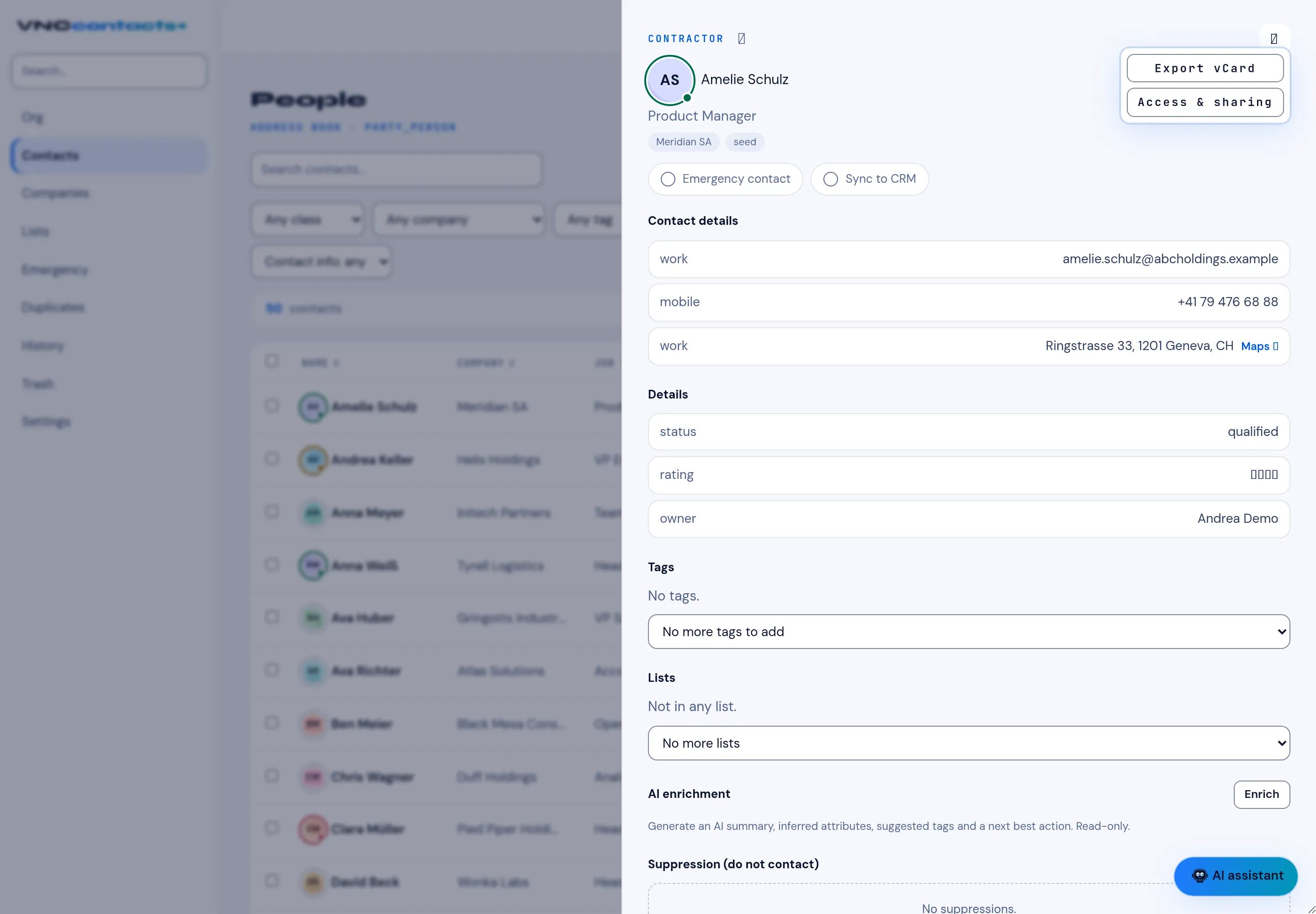
- Open the ⋯ menu on the card and choose Access & sharing.
- In the Access panel, add the person or unit (the principal) to share with.
The visibility ladder
Section titled “The visibility ladder”A card has a visibility — Private, Intranet, Extranet or Public — and a data class. A grant can narrow access, but it can never widen a card beyond its own level (the cap is enforced), so you cannot accidentally expose a private card.
What the panel shows
Section titled “What the panel shows”The Access inspector explains the decision, not just the names:
- the card’s visibility and data class,
- the principal and why they can see the card, and the provenance of that decision — including platform admins (tenant/org admin bypass) and the whole tenant’s entitled internal principals,
- every grant is audited.
Because the grant store is the directory, card lists and search honour the same ladder: a card shared with you shows up for you, and one you cannot see does not.