Event reminders
A reminder alerts you a set time before an event starts. You can add several to one event, and set defaults per calendar.
Add a reminder to an event
Section titled “Add a reminder to an event”-
Open the event (or + Create event).
-
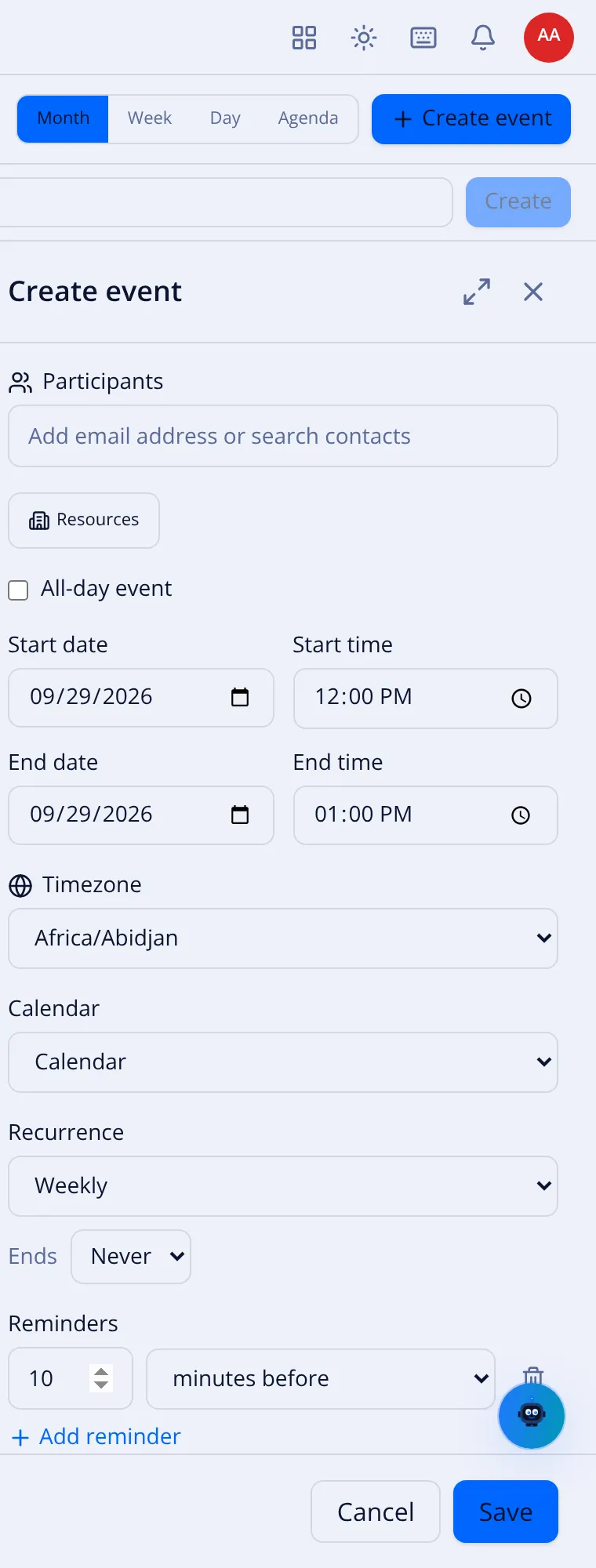
In the Reminders section, select + Add reminder.
-
Set the number and the unit:
Unit Meaning At time of event Alerts exactly when it starts. minutes before e.g. 10 minutes before. hours before e.g. 1 hours before. days before e.g. 1 days before. weeks before e.g. 1 weeks before. -
Add more if you like — for example 1 day before and 15 minutes before. The trash icon on a row removes it.
-
Save.
Defaults per calendar
Section titled “Defaults per calendar”Instead of setting reminders on every event, set them once for a calendar in the calendar’s settings. New events on that calendar then inherit the defaults (events with times and all-day events can have different defaults). An event can still override them.
How you are alerted
Section titled “How you are alerted”Reminders appear as notifications in VNCmail+ (and the suite bell). Alerts fire once and are marked acknowledged; a reminder missed by more than a short window is not shown late. → Notifications