Work the pipeline
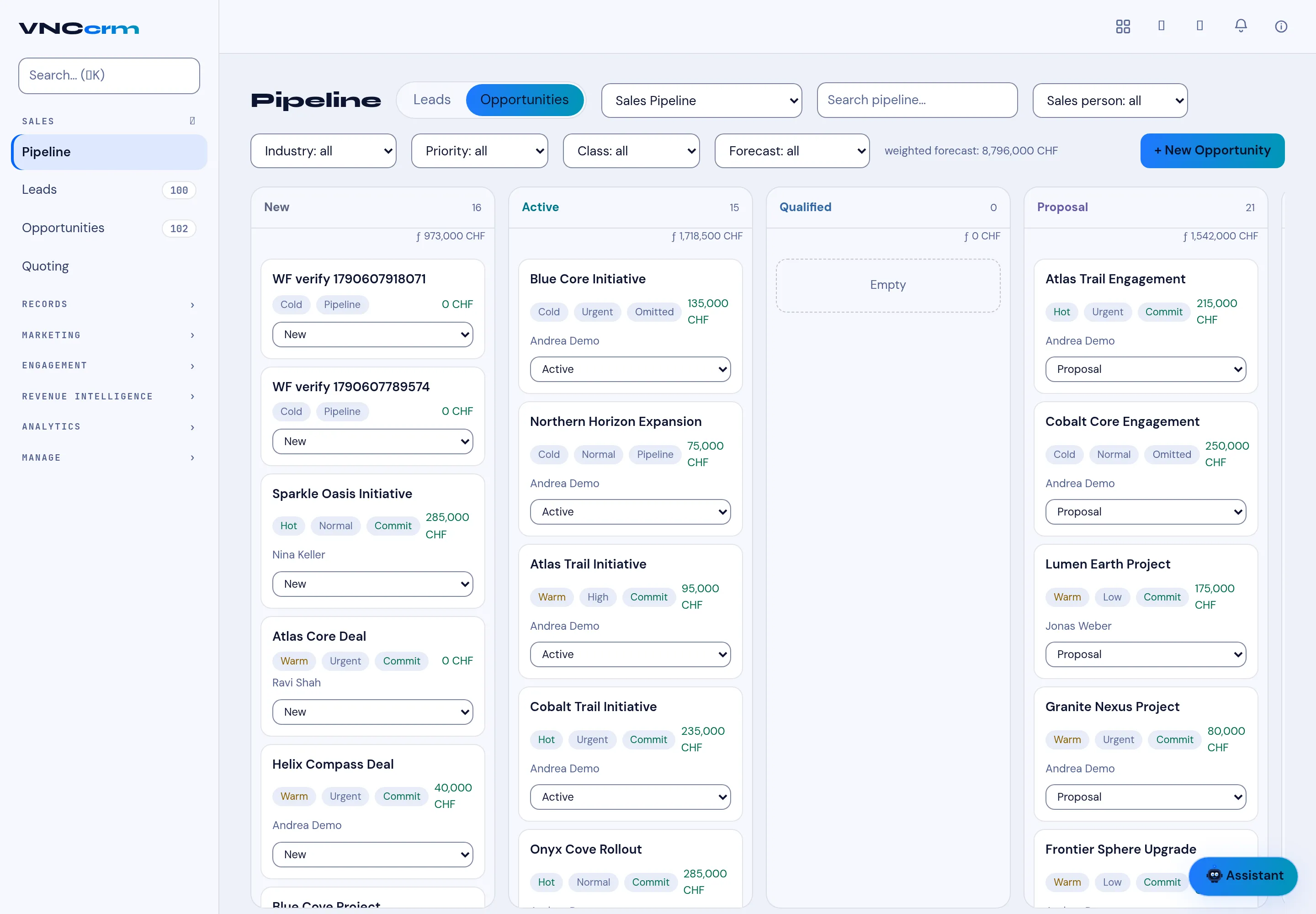
The Pipeline shows opportunities as cards in stage columns — from New through Active, Qualified and Proposal to won or lost.
- Open Pipeline. Use the Leads / Opportunities tabs to switch between the two record types.
- Pick a pipeline with the selector (for example Sales Pipeline), and narrow the board with the Industry, Priority, Class, Forecast and Sales person filters, or the search box.
- Move a deal by changing its stage on the card, or drag it between columns.
- Open a card to see its details, and add one with + New Opportunity.
Result
Section titled “Result”Each column shows its count and value (for example 14 · 973,000 CHF), and the header shows the weighted forecast for the whole pipeline — weighted by stage probability, never a page-local sum.