Settings and sync
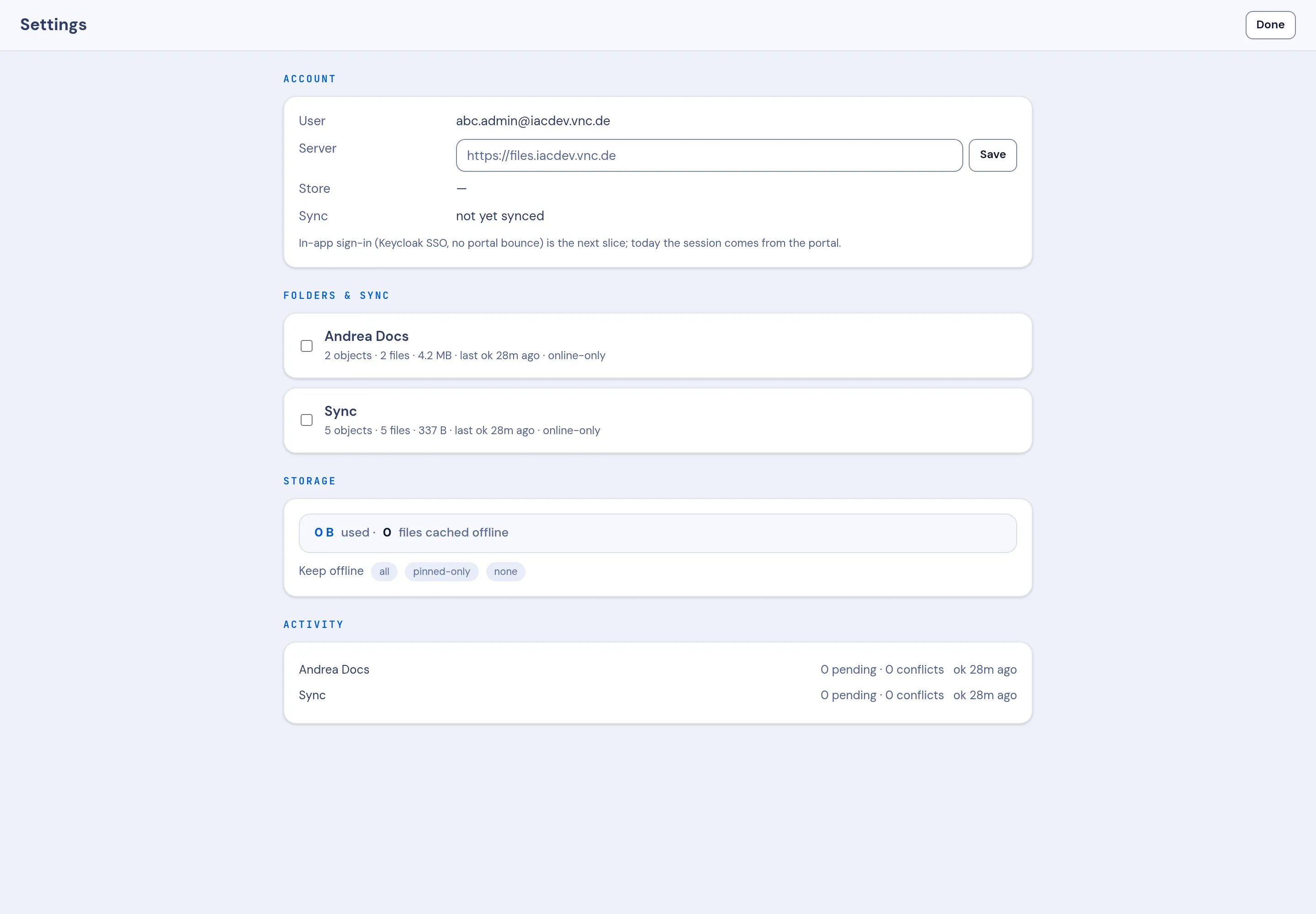
Open Settings at the bottom of the VNCfiles sidebar. It has four sections.
Account
Section titled “Account”Your User, the Server the app talks to, and the Store. The Sync row reports the state — not yet synced until this device is connected.
Folders & sync
Section titled “Folders & sync”Each sync space with its size and last-sync time, for example Andrea Docs — 2 objects · 2 files · 4.2 MB · last ok 28m ago · online-only. Tick a space to manage it.
Storage
Section titled “Storage”How much is used and how many files are cached offline, plus the Keep offline policy:
- all — keep every file on this device.
- pinned-only — keep only the files you pin.
- none — keep nothing offline; open on demand.
Activity
Section titled “Activity”Per-space pending uploads and conflicts — for example 0 pending · 0 conflicts · ok 28m ago. This is where a stuck sync shows up first.