First steps with VNCcrm
By the end of this tour you will have added an opportunity and moved it a stage.
1. Open VNCcrm
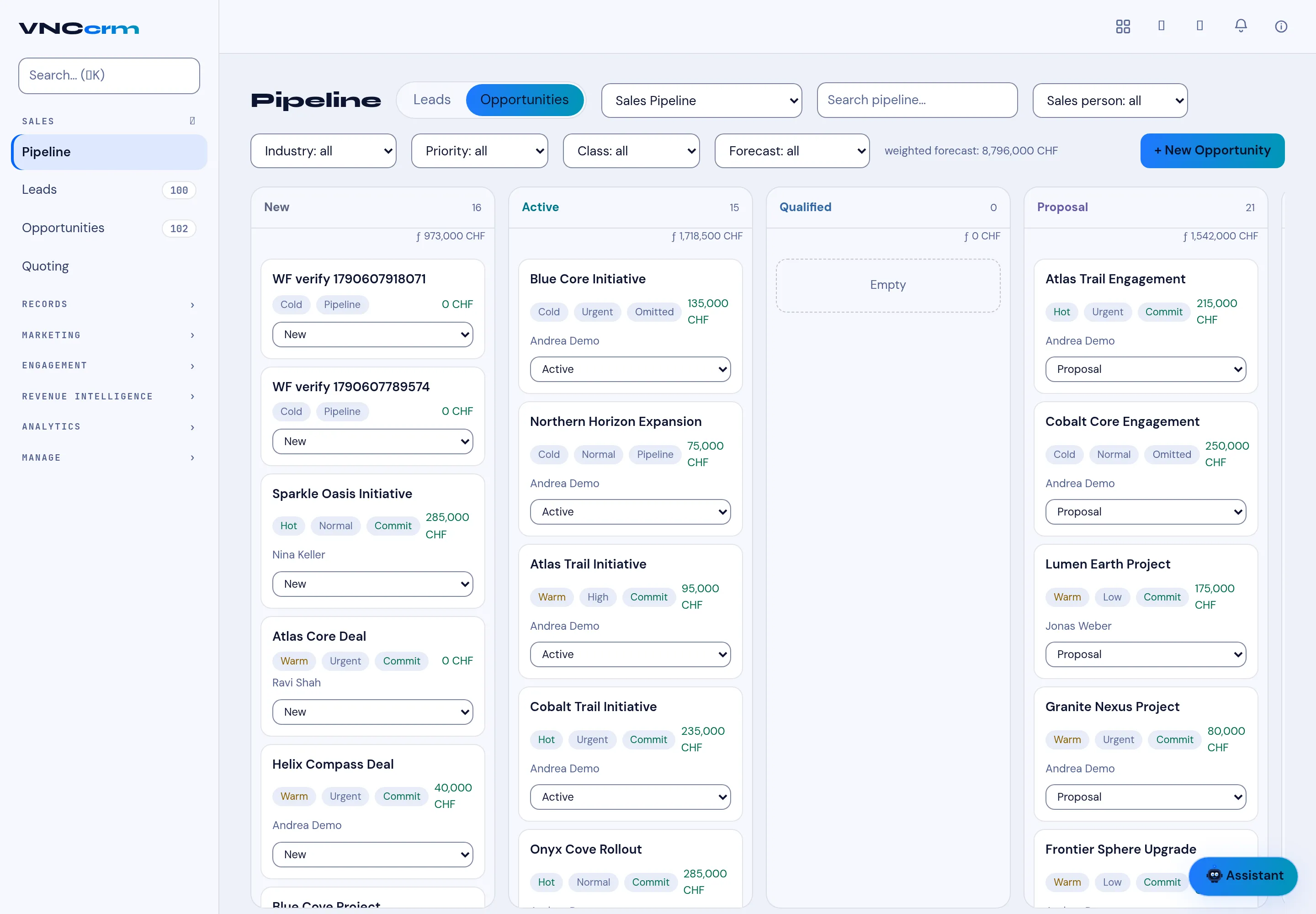
Section titled “1. Open VNCcrm”Open VNCcrm from the portal. The Pipeline shows opportunities as cards in stage columns.
2. Start a deal
Section titled “2. Start a deal”Select + New Opportunity, give it a Name and a Company, and set the Stage and value. Select Create.
3. Work it
Section titled “3. Work it”On the pipeline, change a card’s stage (or drag it) as the deal progresses. Watch the column totals and the header weighted forecast change.
4. Track leads
Section titled “4. Track leads”Use the Leads tab for prospects; when one is qualified, convert it to an opportunity so it joins the pipeline.
What you learned
Section titled “What you learned”- Opportunities live on the pipeline; leads convert into them.
- Stage changes roll up into the weighted forecast.