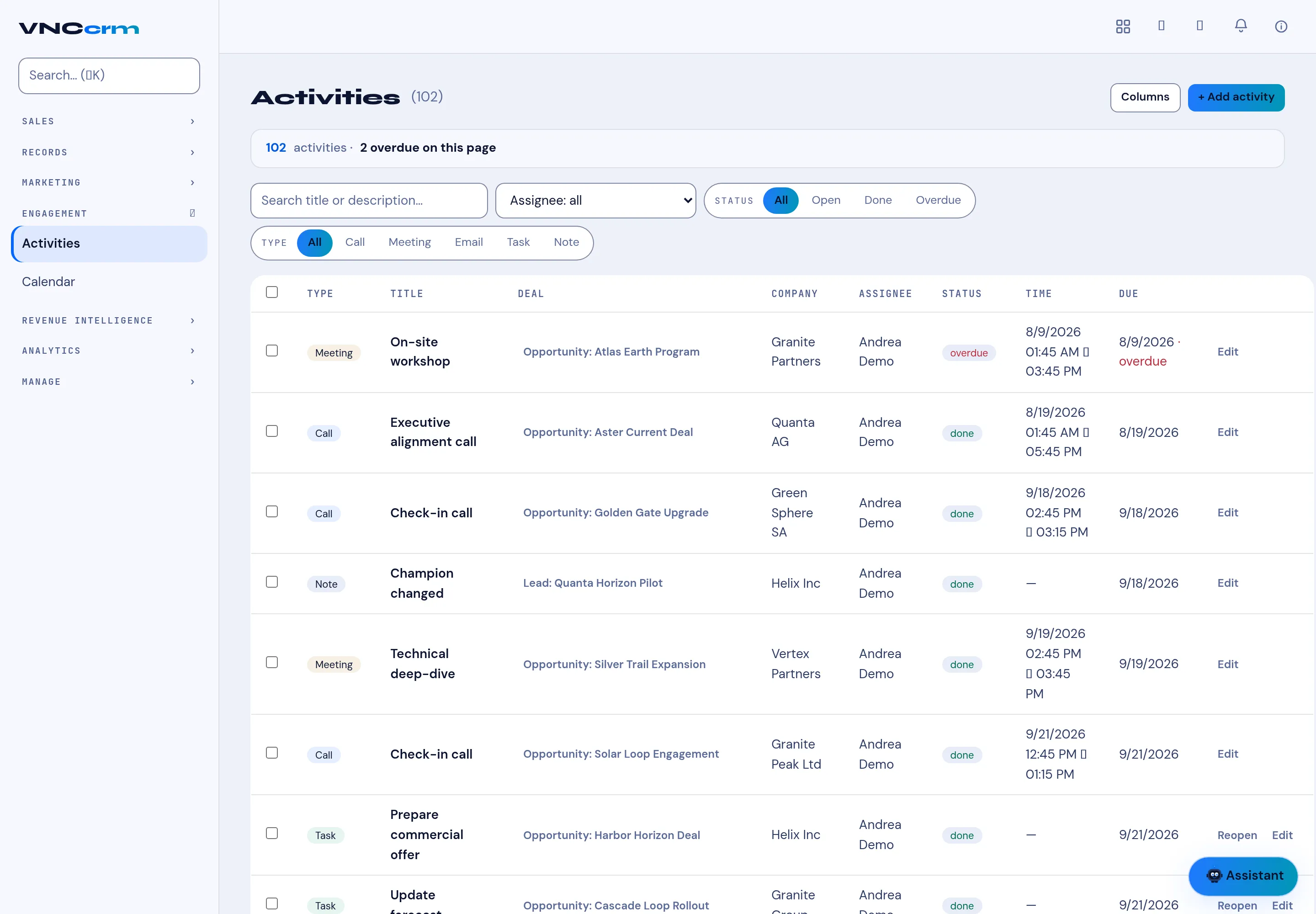
Activities in VNCcrm
Engagement → Activities is every interaction across your deals and leads in one list — the source of the Activities count you see on a deal and the entries on the CRM calendar.
The header
Section titled “The header”- + Add activity — create one (Call, Meeting, Email, Task or Note); Columns chooses the columns.
- The summary reads n activities · n overdue on this page.
- Filters — Search by title or description, Assignee, Status (All, Open, Done, Overdue) and TYPE (All, Call, Meeting, Email, Task, Note).
Each row
Section titled “Each row”| Column | Meaning |
|---|---|
| Type | Call / Meeting / Email / Task / Note. |
| Title | What it is. |
| Deal (or Lead) | What it belongs to. |
| Company | The account. |
| Assignee | Who owns it. |
| Status | overdue, open or done. |
| Time | The start–end range (for timed activities). |
| Due | The due date. |
| Actions | Edit, and Reopen on a done task. |
Completing a Task activity marks it done; Reopen puts it back. A Call/Meeting stays open until it happens, then is logged.