Work with leads
A lead is an unqualified prospect. Once it is qualified it becomes an opportunity and moves onto the pipeline.
- Open VNCcrm and select Leads.
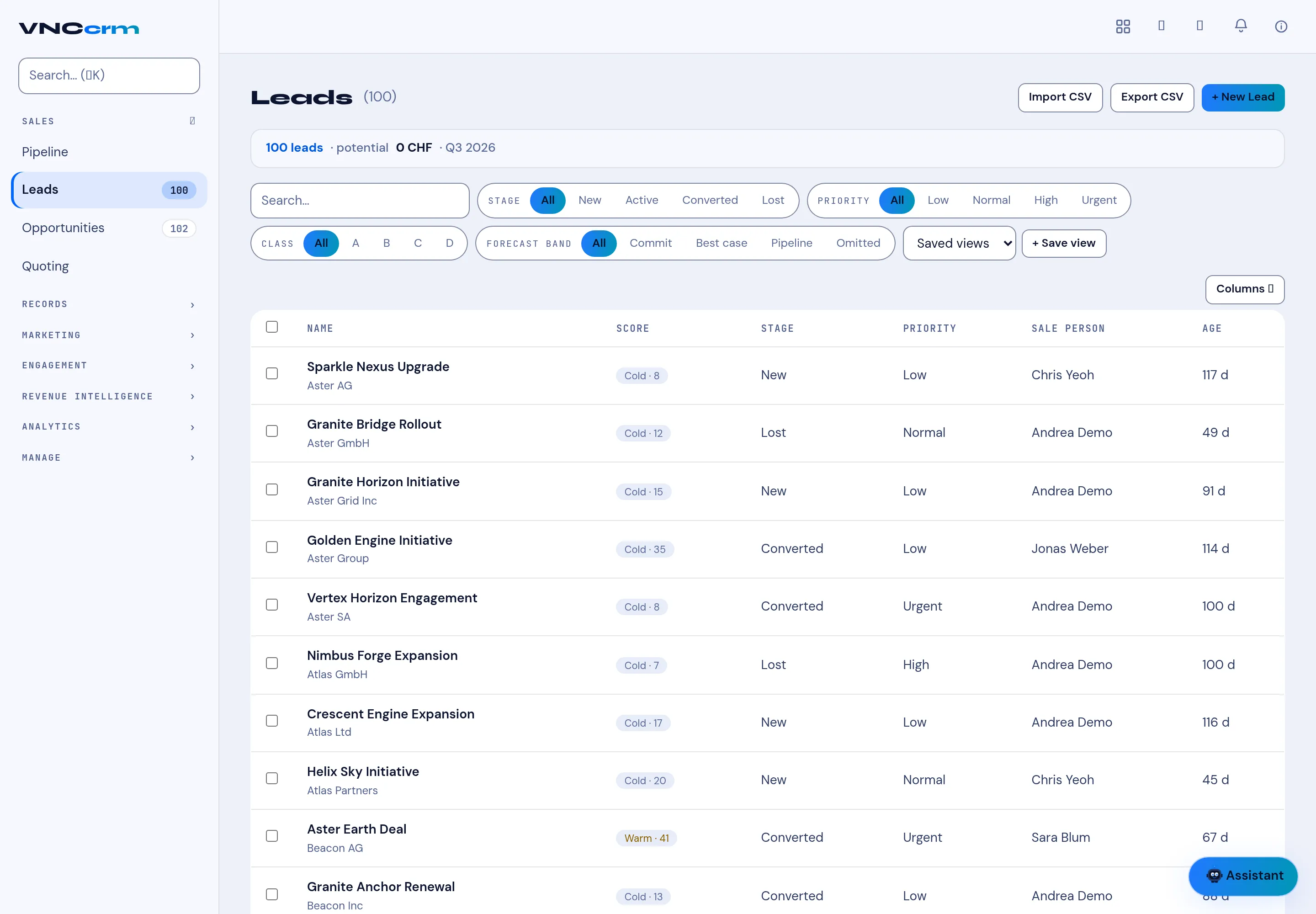
- The header summarises the list — for example 100 leads · potential 0 CHF · Q3 2026.
- Filter with the Stage (All, New, Active, Converted, Lost), Priority, Class and Forecast band chips, or the search box. Save a filter with + Save view, and reopen it from Saved views.
- Add a lead with + New Lead, or round-trip the list with Import CSV / Export CSV.
- Open a lead to qualify it. When it is qualified, convert it to an opportunity so it appears on the pipeline.
Result
Section titled “Result”Leads you qualify leave this list and appear as opportunities. Columns lets you choose the fields shown.