Use the task board
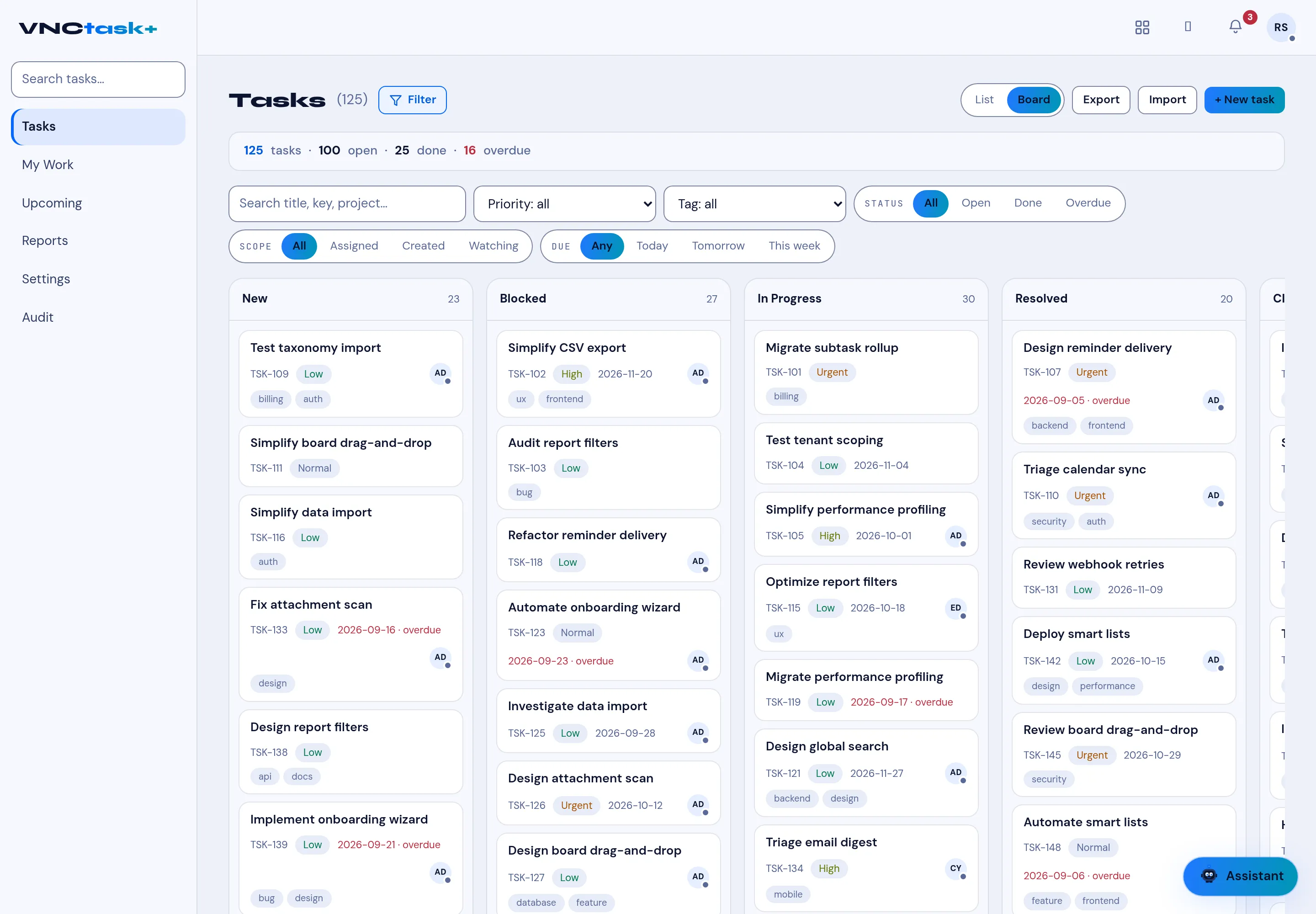
The board is the same task list as columns, one per status. It is the fastest way to see where work is piling up and to move it along.
- Open Tasks and select Board (top right; the list is the List view).
- Each column is a status — New, Blocked, In Progress, Resolved and Closed — with its count.
- Drag a card to another column to change its status, or use the card’s controls.
- Keep the filters you already set (search, Priority, Tag, Status, Scope, Due) — the board respects them.
Result
Section titled “Result”Cards show their key, tags, assignee and due date; overdue due dates appear in red. The header still summarises the whole set, for example 125 tasks · 100 open · 25 done · 16 overdue.