The left navigation
The VNCcontacts+ sidebar (left) splits into people, work lists and maintenance views. The main area is the list or record for the item you picked.
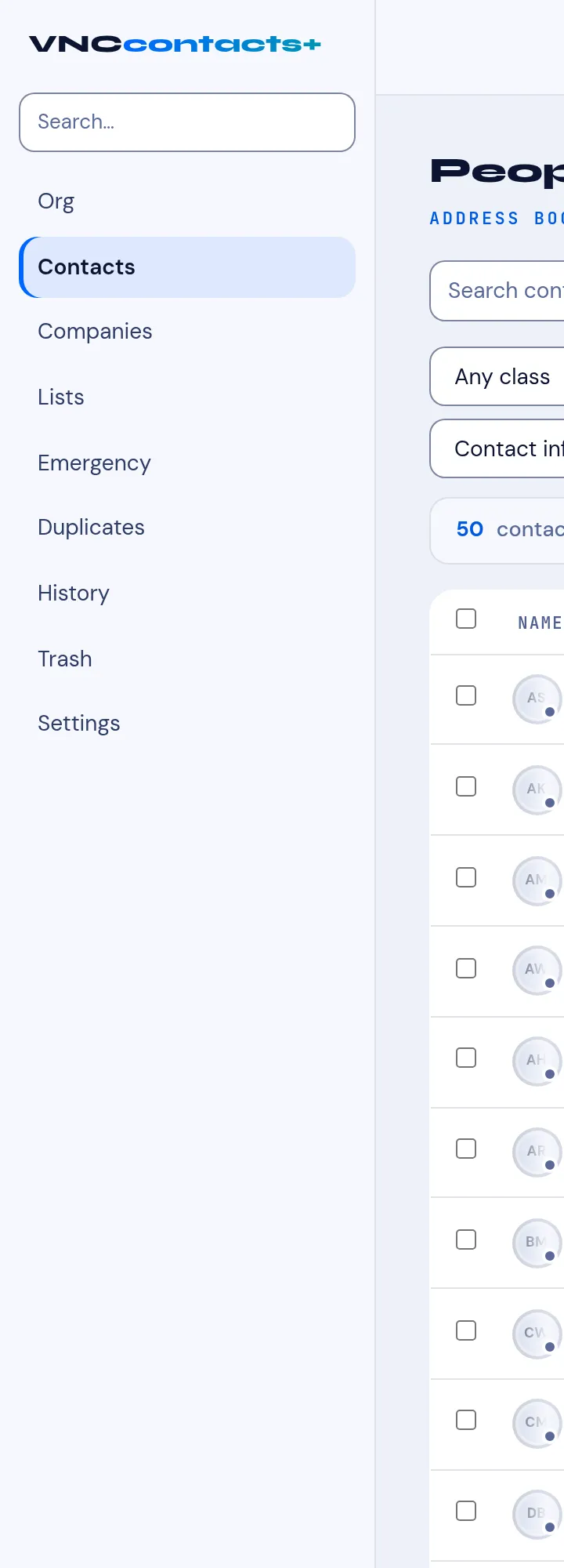
People
Section titled “People”| Item | Shows |
|---|---|
| Org | Your organization’s people and units. |
| Contacts | Everyone you can see (the address book). |
| Companies | Companies and their contacts. |
→ Search contacts · Browse contacts · Add a contact
Work lists
Section titled “Work lists”| Item | Shows |
|---|---|
| Lists | Saved segments of contacts. |
| Emergency | The contacts flagged as emergency contacts. |
→ Lists · Mark an emergency contact
Maintenance
Section titled “Maintenance”| Item | Shows |
|---|---|
| Duplicates | Suggested duplicate records to merge. |
| History | The merge and audit history. |
| Trash | Deleted contacts (recoverable). |
| Settings | Contact settings — record classes, fields and sync. |
→ Possible duplicates · Merge and audit history · Trash · Contact settings